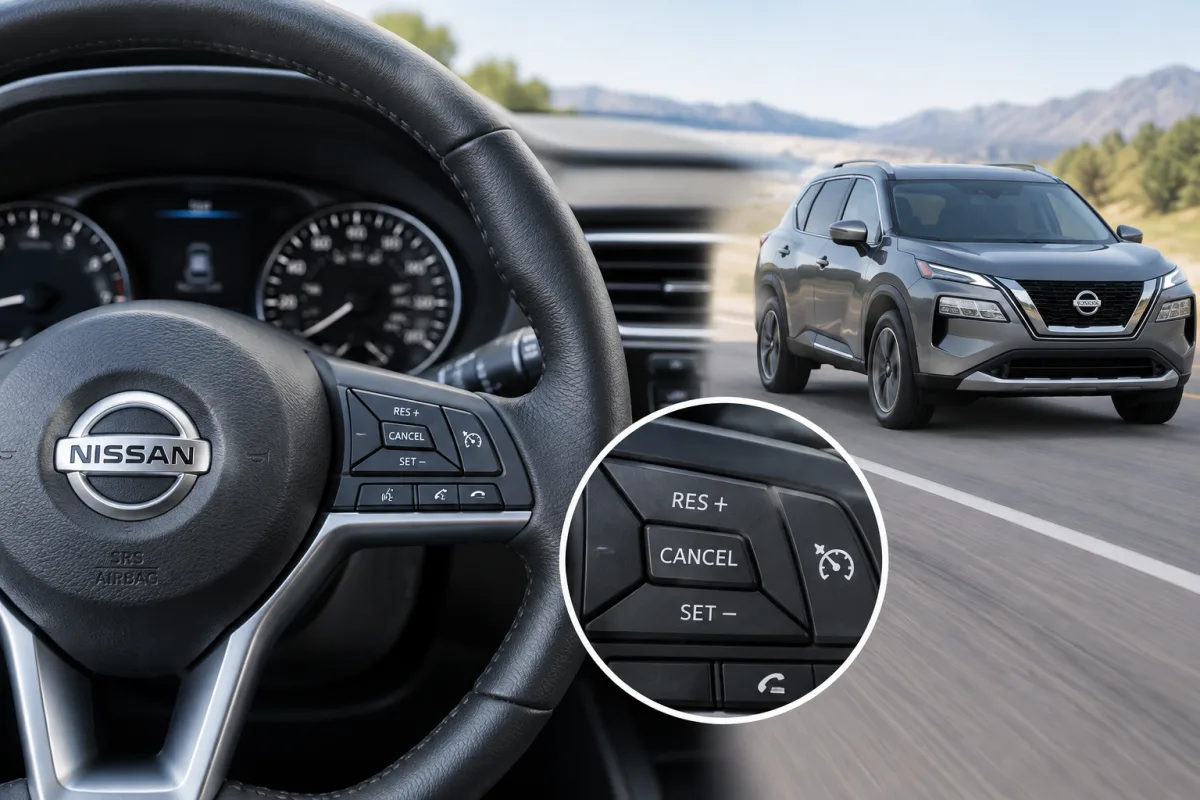
The steps for setting cruise control on a Nissan Rogue vary slightly by model year and equipment. Conventional systems use buttons labeled CRUISE ON/OFF, SET/−, RES/+, and CANCEL. Some newer Rogue vehicles may also have Intelligent Cruise Control or ProPILOT Assist.
How to set conventional cruise control
- Press the CRUISE ON/OFF button on the steering wheel. The cruise-control indicator should appear on the instrument panel.
- Accelerate to the speed you want to maintain.
- Press and release SET/−.
- Take your foot off the accelerator. The Rogue should maintain the selected speed.
On some Rogue models, the cruise indicator is gray when the system is switched on and turns green after a cruising speed has been set.
How to adjust the set speed
- Press SET/− briefly to decrease the set speed in small increments.
- Press RES/+ briefly to increase the set speed in small increments.
- Hold SET/− or RES/+ to change the speed continuously, then release the button at the desired speed.
How to cancel cruise control
Press the CANCEL button or lightly press the brake pedal. This cancels the active cruising speed without necessarily switching the entire cruise-control system off.
To turn the system off completely, press CRUISE ON/OFF.
How to resume the previous speed
After canceling cruise control, press RES/+ when the vehicle is traveling at a suitable operating speed. The Rogue can then return to the previously selected speed. The exact minimum operating speed depends on the model year and system.
Intelligent Cruise Control and ProPILOT Assist
Some Nissan Rogue trims have Intelligent Cruise Control, and some may include ProPILOT Assist. These systems can use radar and other driver-assistance functions to help maintain following distance and, depending on the vehicle, manage stop-and-go traffic.
The controls and activation sequence may differ from conventional fixed-speed cruise control. Check the owner’s manual for the specific Rogue model year before using these features.
When not to use cruise control
Nissan advises against using cruise control in heavy traffic, on winding or hilly roads, or on slippery road surfaces. The driver must continue to monitor traffic, road conditions, and vehicle speed at all times.
Find the correct Nissan Rogue manual
Nissan provides vehicle-specific manuals through its official Manuals & Guides resource. The 2017 and 2019 Rogue owner’s manuals describe the conventional controls and procedures, but the manual for the exact model year and trim should take priority because equipment and button labels can differ.
For Nissan owner support, Nissan lists Consumer Affairs at 1-800-647-7261.