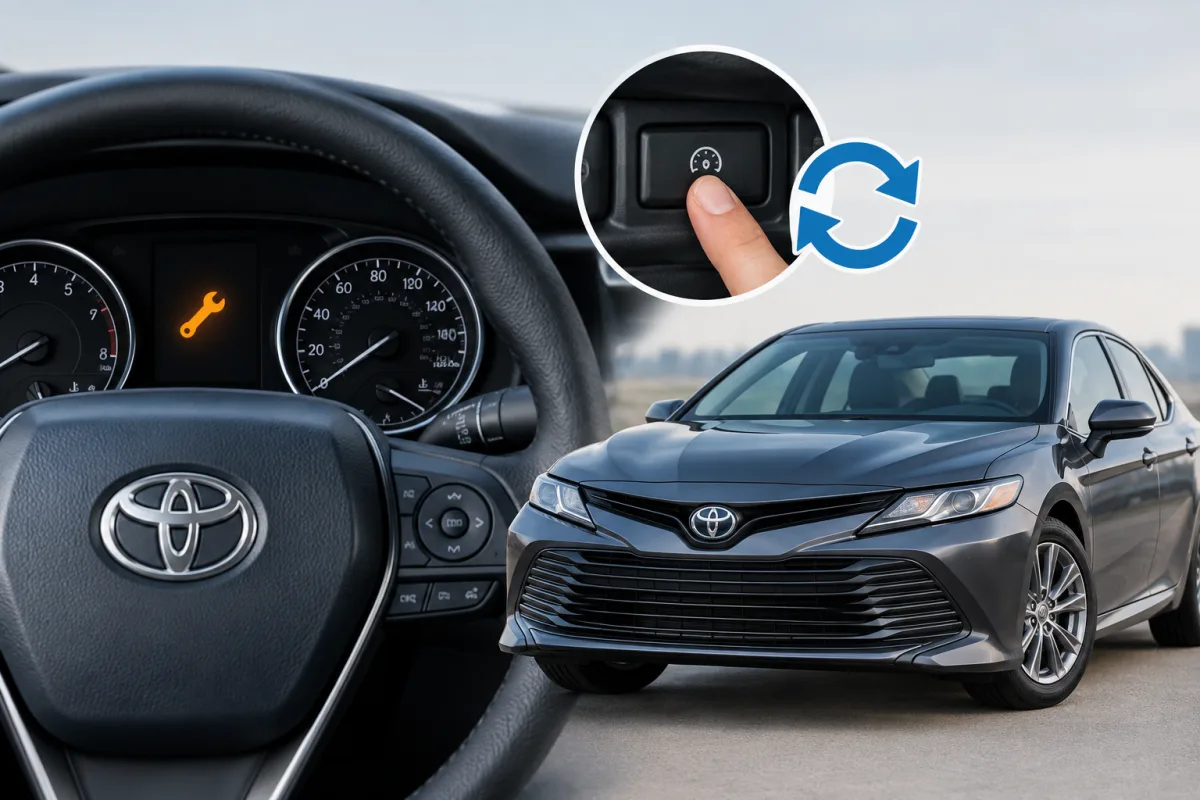
Toyota’s maintenance reminder indicates that scheduled service or an oil change is due. It is different from the check-engine light and should be reset only after the required maintenance has been completed.
The exact reset process depends on the Toyota model year and dashboard display. Newer vehicles commonly use the multi-information display, while older models may require the odometer or trip-meter reset controls.
How to reset the maintenance light on a Toyota Camry
On a Toyota Camry, the reminder may appear as MAINT REQD or OIL MAINTENANCE REQUIRED. After the oil change or scheduled service:
- Turn the vehicle on without starting the engine, or switch the ignition to the appropriate accessory position.
- Use the steering-wheel controls to open the vehicle settings on the multi-information display.
- Select the maintenance or scheduled-maintenance option.
- Choose the reset command and confirm it with Yes.
Some older Camry models use a different procedure involving the odometer or trip display and a physical reset button. The correct sequence must be matched to the model year and instrument cluster.
How to turn off the maintenance light on a Toyota Camry
Turning off the Camry maintenance light means resetting the service reminder after maintenance. It does not repair a mechanical problem or clear an unrelated warning. If the light returns immediately after the reset, check that the maintenance procedure was completed and confirm the instructions for the vehicle’s model year.
How to reset the maintenance light on a Toyota RAV4
The 2023 Toyota RAV4 Hybrid uses the multi-information display for the documented reset procedure.
RAV4 with a 7-inch display
- Use the meter controls to open Vehicle Settings.
- Select Scheduled Maintenance.
- Select Yes to confirm the reset.
RAV4 with a 12.3-inch display
- Open the cursor in the multi-information display.
- Select Vehicle Settings.
- Choose Scheduled Maintenance.
- Confirm by selecting Yes.
Other RAV4 years may use different menu names or controls, so the procedure should be checked against the applicable owner’s manual.
How to reset the maintenance light on a Toyota Tacoma
Newer Tacoma models may show messages such as Maintenance Required Soon, Maintenance Required Visit Your Dealer, Oil Maintenance Required Soon, or Oil Maintenance Required.
On a newer Tacoma with a multi-information display, use the vehicle-settings menu to find the maintenance or scheduled-maintenance reset option, then confirm the reset after service. Toyota’s 2024 Tacoma information identifies the “soon” reminder at approximately 4,500 miles and the required reminder at approximately 5,000 miles after the previous reset.
The exact button sequence varies by year and display configuration. Reset the reminder only after completing the required maintenance.
How to reset the maintenance light on a Toyota 4Runner
Toyota provides separate 4Runner owner’s manuals and maintenance guides by model year. Newer 4Runner vehicles generally use the multi-information display:
- Open the vehicle settings menu with the steering-wheel or meter controls.
- Select the maintenance or scheduled-maintenance option.
- Choose the reset command.
- Confirm the reset.
Older 4Runner models may require an odometer or trip-meter procedure instead. Match the instructions to the specific year and instrument display.
How to reset the maintenance light on a Toyota Corolla
Corolla reset instructions vary by model year. Newer versions generally place the reset command in the multi-information display under vehicle settings and scheduled maintenance. Older versions may use the trip-meter or odometer display and a physical reset control.
After servicing the vehicle, select the maintenance-reset option if it is available in the display. If the Corolla has a different dashboard layout, use the model-year owner’s manual to confirm the button sequence.
How to turn off the maintenance light on a Toyota Corolla
The Corolla maintenance reminder can be turned off by resetting the scheduled-maintenance or oil-maintenance counter after service. This reminder is not the same as the check-engine light. A check-engine warning or another fault indicator requires separate diagnosis rather than a maintenance-counter reset.
How to reset the maintenance light on a Toyota Tundra
Tundra procedures also depend on the model year and dashboard configuration. On newer trucks, open the multi-information display, enter vehicle settings, select the maintenance option, and confirm the reset after completing the required service.
Some older Tundra models use the odometer or trip-meter controls. Because the available research does not confirm one universal Tundra button sequence, the instructions should be verified for the truck’s exact year.
What does “maintenance required” mean on a Toyota?
Maintenance required means the vehicle’s scheduled service or oil-replacement interval has been reached. The reminder is based primarily on distance after the previous reset. It does not by itself identify a specific engine or electrical fault.
- Complete the scheduled maintenance listed for the vehicle.
- Reset the reminder after the service is finished.
- Do not use the reset procedure to conceal an unresolved warning.
- Check the owner’s manual if the message remains or returns unexpectedly.
Where to verify the exact Toyota reset procedure
Toyota’s official Owners Manuals and Warranties portal provides owner’s manuals, warranty documents, and maintenance guides by vehicle and model year. It is the appropriate source for confirming the exact reset steps for a Camry, Tacoma, 4Runner, RAV4, Corolla, or Tundra, especially when the vehicle has a different screen size or instrument cluster.