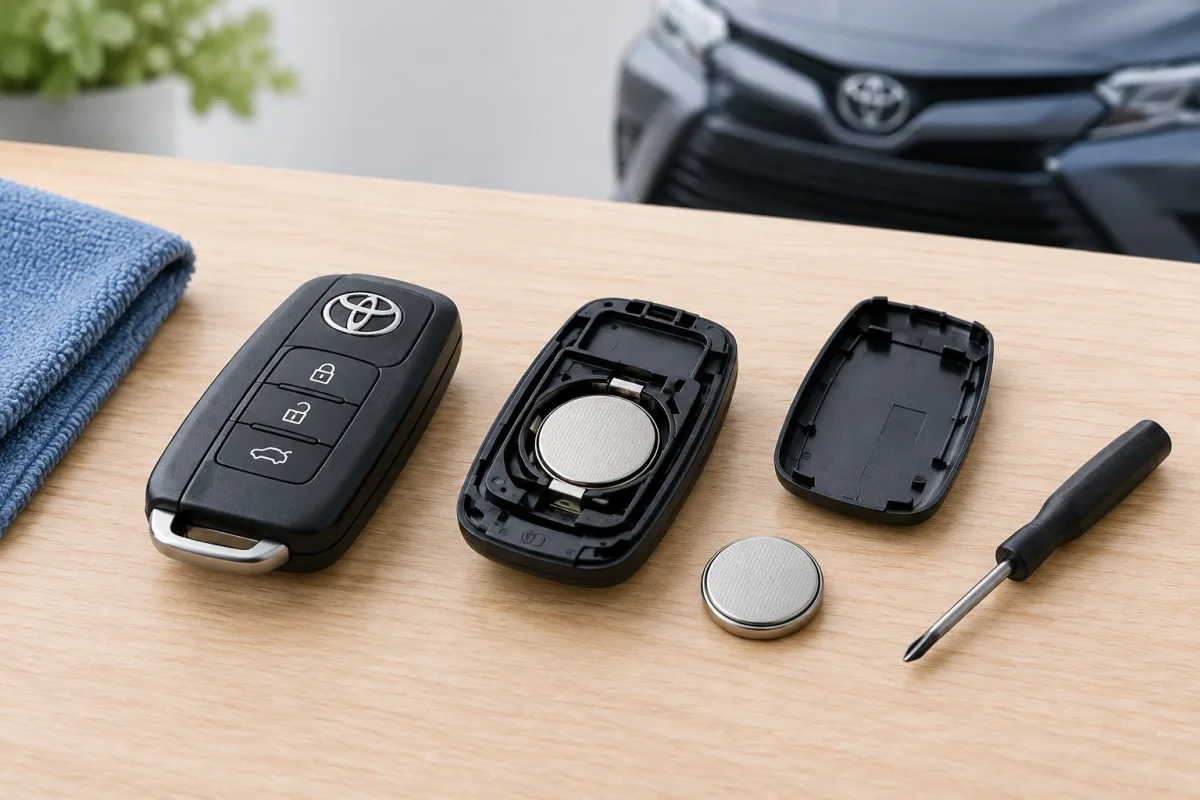
Replacing a Toyota key-fob battery is usually possible at home, but the exact procedure depends on the vehicle model, model year and key design. Toyota uses several types of electronic keys, including traditional wireless remotes and smart keys, so the battery size and method for opening the case may differ.
When a Toyota key-fob battery needs replacement
A weak battery may cause the smart-key system or wireless remote control to work inconsistently. Common signs include:
- Shorter operating range;
- Remote buttons that respond only occasionally;
- The smart-key system failing to detect the key reliably;
- The key-fob LED indicator no longer turning on.
What battery does a Toyota key fob use?
There is no single battery that fits every Toyota key fob. The correct type depends on the vehicle and key design. Check the vehicle owner’s manual or read the marking on the battery already installed in the fob before buying a replacement.
Do not rely only on the Toyota model name, because different model years and key designs may use different batteries.
How to open a Toyota key fob
- Remove the mechanical key if your Toyota fob has one. A release button or latch usually holds it in place.
- Look for the designated opening slot or seam in the key-fob housing.
- Insert the mechanical key or a suitable tool into the slot and gently separate the case.
- Work carefully around the seam rather than forcing one point, which can damage the plastic housing or internal electronics.
- Open the case only far enough to reach the battery and note how the existing battery is positioned.
The opening method varies between traditional remotes, smart keys and newer electronic keys. The vehicle-specific Toyota owner’s manual is the authoritative guide for the correct location of the release slot and the recommended opening method.
How to replace a car key battery in a Toyota
- Open the key fob carefully.
- Inspect the battery marking and confirm that the replacement is the same type.
- Remove the old battery without bending or damaging the contacts.
- Install the new battery in the same direction as the old one. Incorrect polarity can cause rapid battery depletion or prevent the fob from working.
- Check that the battery is seated securely.
- Align the two halves of the housing and press them together until the case closes.
- Reinsert the mechanical key if it was removed.
- Test the buttons and, where applicable, the smart-key functions.
Important precautions
- Do not use excessive force when removing the cover or battery.
- Keep the electronic key dry.
- Do not drop, bend or expose the key to prolonged high temperatures.
- Confirm the battery direction before closing the housing.
- Use the owner’s manual if the case does not open easily or the battery type is unclear.
What to do if the Toyota key battery is completely dead
Some Toyota smart-key vehicles include an emergency starting procedure. If the battery is depleted, hold the Toyota-emblem side of the electronic key against the engine switch while pressing the brake pedal. The exact procedure depends on the vehicle, so follow the instructions in the owner’s manual.
When dealer replacement is the safer option
Toyota owner manuals generally state that the electronic-key battery can be replaced by the owner, while also recommending dealer replacement because incorrect disassembly may damage the key. A Toyota dealer is the safer choice when the key design is unfamiliar, the housing resists opening, the battery contacts are damaged or the replacement battery does not restore operation.